Oct 6, 2026Technology Explained
Video Call Camera Guide: Who Really Needs a Screen Camera?
A screen camera lets parents, kids and pets see you with one tap — no app skills needed on their side. Who it fits, who it doesn't, and specs to check.
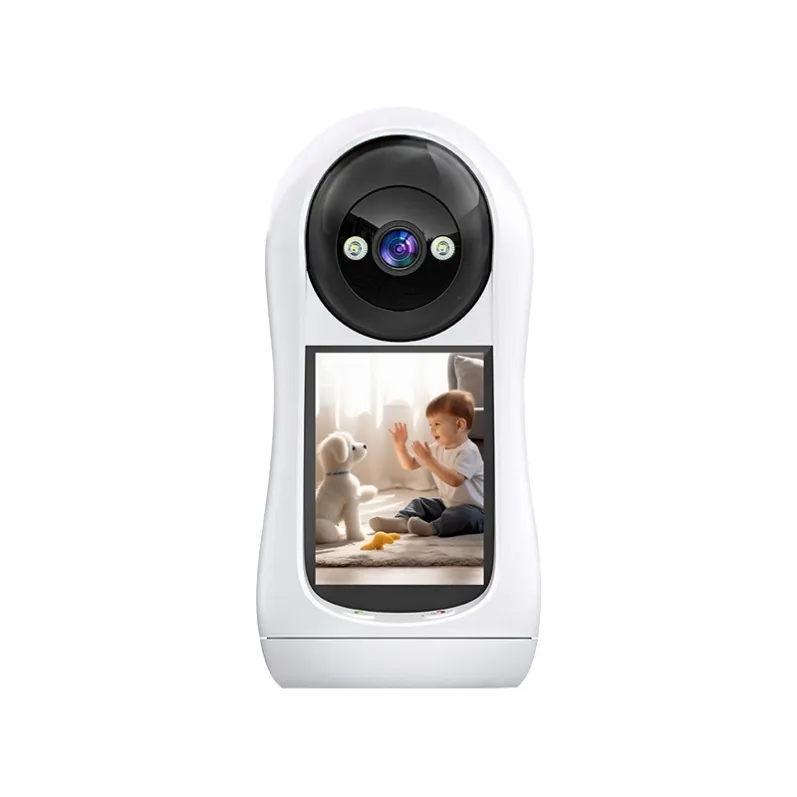
A normal security camera is one-way: you watch, and the person on the other end usually can't watch you back. A video call camera flips that — the camera has its own screen, and the person in front of it can press one button to start a video call to your phone. For a parent who can't use apps, a child who misses you at bedtime, or a grandparent living alone, that single button is the whole difference between "a camera watching them" and "a way to see and talk to their family." This guide, written by the manufacturer (we build and export home cameras to distributors and brands in 40+ countries), explains who a screen camera actually fits, who should buy a normal camera instead, and what to check before ordering.After reading, you'll know: the five scenarios where a screen camera wins, how it compares with a regular camera and a baby monitor, and which specs matter (screen, WiFi, storage, night vision, pan-tilt).Short answer: buy a screen camera if someone in the home — elderly, a young child, or a relative far away — will benefit from starting a call themselves with one tap. If you only need to watch a room, a normal indoor camera does the job for less.
What makes a video-call camera different
- One-tap video call from the camera side — the person at the camera presses a button and calls your phone; no app on their side.
- A built-in screen — the caller sees and hears you on the device, not through a phone they may not own or understand.
- Two-way audio — both ends talk; latency matters, so a stable connection (dual-band WiFi) is a real spec, not marketing.
- It's still a security camera — motion alerts, TF-card recording and night vision work exactly like a normal indoor camera.
The key difference is direction: a normal camera is "you watch them"; a screen camera adds "they call you."
Scenario 1 — Elderly parents living alone
WHO estimates the world's population aged 60+ will grow from about 1 billion in 2019 to roughly 1.4 billion by 2030 — and millions of them live alone. The practical problem is well documented in every review of elderly-monitoring cameras: many seniors find phone apps confusing but can handle pressing one button. A screen camera solves exactly that:
- One-tap call — parent presses the button, sees your face on the 2.8-inch screen, talks to you; no app, no login.
- You can also check in remotely — motion alerts and live view work from your phone when you're away.
- Night mode — check on them after dark without turning on lights.
This is the clearest "yes" case for a screen camera. If the parent can't use the button, an ordinary camera (watching-only) may still be better than nothing — confirm the user's comfort with either.
Scenario 2 — Young children & grandparents
- Bedtime check-in — the child presses the button and sees you; hearing your voice through a familiar screen calms separation anxiety faster than a one-way camera.
- Grandparents calling — grandma starts a video call to see the grandchild; the child doesn't need a phone.
- Remote parenting — when traveling, you check the room, talk to the child, and record to the TF card like any home camera.
Scenario 3 — Pets
A screen camera doubles as a pet camera: the sound and picture of you appearing on the screen often brings a pet over, and two-way audio lets you talk. It's not a replacement for a wearable 4G pet tracker (for dogs that roam) — it's the indoor half of a pet setup, as covered in our pet camera guide.
Scenario 4 — Short-term rentals & holiday homes
Guests and owners both benefit: guests press the button to talk to the host (questions about keys, parking, checkout), and the owner watches the property remotely with motion alerts. For a rental property, a screen camera is a small differentiator that answers "who do I talk to?" — though note it's a home device, not a public-space camera.
Screen camera vs ordinary camera vs baby monitor
Criterion | Screen camera | Ordinary indoor camera | Baby monitor |
Camera-side call (one tap) | Yes | No | Usually no |
Screen at the camera | Yes (2.8") | No | Parent unit only |
Works as security camera (TF card, alerts) | Yes | Yes | Limited |
Multi-user app (family members) | Yes | Yes | Often single parent |
Best for | Elderly, kids, rental, pets | Watching a room | Baby room only |
What to check before buying a screen camera
- Screen size & brightness — big enough to read and see the caller clearly (2.8" is a good minimum for elderly use).
- WiFi standard — dual-band (2.4G + 5G) and WiFi 6 keep calls smooth; 2.4G-only models are cheaper but congested.
- Video call quality & latency — confirm one-tap call works both ways (camera→phone and phone→camera).
- Storage — TF card recording (we support 32–128 GB) and optional cloud for playback.
- Night vision modes — infrared, full-color and intelligent modes cover day and night.
- Pan-tilt — 320° horizontal / 55° vertical lets you scan the room from your phone.
- Multi-user — can several family members watch and call? Confirm app support.
Quick picks from the KeenCamPro catalog
Need | Recommended model | Why it fits |
Elderly / kids / one-tap calls | EXF-T1042 (video call, dual-lens) | 2.8" screen, WiFi 6 dual-band, one-tap video call, 320°/55° pan-tilt, TF 32–128 GB, 4G/WiFi versions |
Simple room watching, no screen | EXF-Y1042 (home dual-lens) | 4 mm + 4 mm, wide view, TF + cloud, 4G/WiFi |
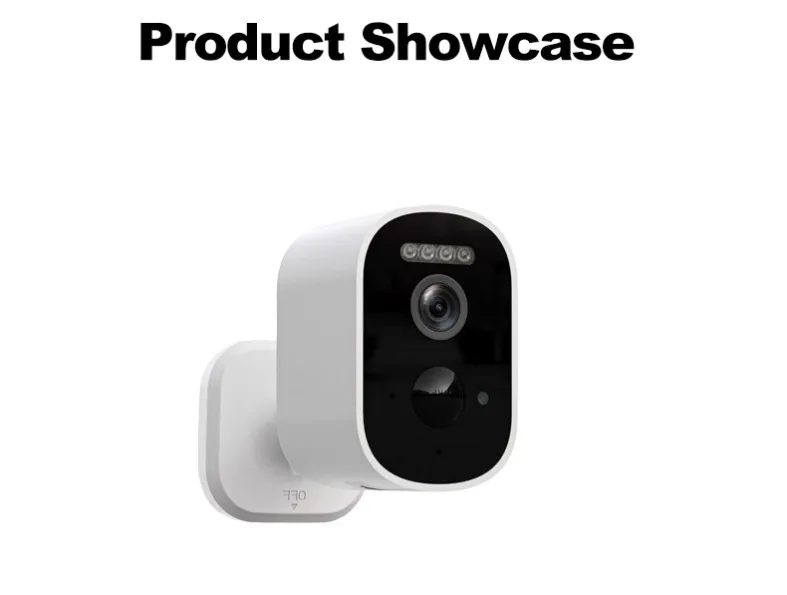
Battery placement anywhere | EXF-B1 (one-shot) | 5600 mAh, PIR 10 m/120°, TF up to 256 GB |
All use the free app (iOS & Android) for live view, playback and alerts — no subscription.
FAQ
Does a video call camera need a subscription? No. Video calls, live view, TF-card playback and alerts are free via the app; cloud storage, where supported, is optional.Does the elderly person need a smartphone or app? No — that's the point of a screen camera. They press the call button on the camera itself; the call connects to your phone. They only need to press one button.What is the difference between a video call camera and a baby monitor? A screen camera is also a security camera (motion alerts, TF-card recording, multi-user app) and the camera side can start calls; a baby monitor is usually limited to parent-unit watching and audio.Can my child call me from the camera? Yes, with one-tap video call — the child presses the button on the screen camera and the call reaches your phone.Is a screen camera also a security camera? Yes — it records to a TF card, sends motion alerts, and supports night vision like any indoor camera.Can several family members use it at once? Check the app's multi-user support for your model; most of our WiFi models allow multiple family accounts. Confirm before ordering for your use case.What if the WiFi is weak where the camera will sit? Choose the 4G version (SIM card) of the model, which works anywhere a phone has signal, or improve the router coverage first.
What to prepare before your inquiry
Send us these six details for a same-day recommendation:
- User — elderly parent, child, pet, or rental guests; who presses the call button?
- Room and placement — where the camera will sit; shelf or wall.
- Call direction — camera-to-phone calls needed, or phone-to-camera checking only?
- WiFi situation — router distance; need 4G version?
- Storage — local TF card only, or cloud backup too?
- Quantity, target market, packaging — volume, destination, your brand or our standard box.
Buying as a reseller? Go straight to the factory
Distributors, importers and brand owners buy direct from the manufacturer:
- 100+ models in one catalog — video-call, indoor, solar, 4G, plug-in, battery, AOV, optical zoom, pet cameras.
- OEM/ODM welcome — your brand, our factory, small MOQ, fast delivery.
- Free technical support for app, firmware and packaging customization.
Browse the indoor and video-call camera category on our website: www.keencampro.comRequest a quote — contact our sales team to confirm model, features and MOQ today:
- WhatsApp: https://wa.me/8618948579719
- Email: diana@keencampro.com
- Website: https://www.keencampro.com/
#KeenCamPro #VideoCallCamera #ScreenCamera #CameraWithScreen #ElderlyMonitoring #HomeCamera #IndoorCamera #WiFi6Camera #GrandparentsVideoCall #PetCamera #OEM #Wholesale